Friday, December 4, 2015

Scratch Jr. gets a fun character update ready for hour of code.

Use your favorite PBS characters to make your own stories with Scratch Jr.
Apps for content creation on a tablets are rare which is one of the reasons I love Scratch Jr.
I've mentioned it before it's so easy even your 4 year old can have fun, and with very little parent help because it's fully icon based for use by pre-readers.   This new release with PBS characters could be a good way to get their interest started.   Scratch Jr teaches sequencing and interaction events but everything is very immediately connected which keeps need for abstract thinking to a minimum, and no math needed.   If your looking for a super easy square one place to begin this is it.


Monday, November 16, 2015

Minecraft Hour of Code

Star wars does not get you kid excited?  Unlikely but there is probably something that will.
Things are looking great for this year's hour of code.

https://code.org/mc


And if this taste really gets you excited check out http://www.learntomod.com/ a block based minecraft modding site, Very easy to use, but best approached after some experience with block based programing like code.org.

Friday, November 13, 2015

HOUR of CODE coming Dec 7-13 (Star Wars)


We're looking forward to hour of code again this year, new projects and games.   This year's theme at Code.org looks to be one that should be popular for everyone!  Cute Robots, Powerful Women, oh and it's STAR WARS.


December 7-13 spent just 1 hr learning to code.

Tuesday, October 27, 2015

pyonkee, "Scratch" your itch for iOS

pyonkee is an iOS app which is basically Scratch 1.4 ported to iOS.   It can even import your scratch projects, and access the iPad sensors.


Monday, October 26, 2015

Library Tablets

Google Nexus tables available for checkout from Queens Library, now available at Sunnyside and Woodside library.
http://www.queenslibrary.org/services/computers-wifi/tablet

Mobile hotspot available in some locations as well.
http://www.queenslibrary.org/services/computers-wifi/mobile-hotspot

Wednesday, October 14, 2015

Puzzlets

Puzzlets is a fun gamification of Procedural thinking. (aka Learning to code)
Excellent game playability,  you'd never know you were learning.


Saturday, August 8, 2015

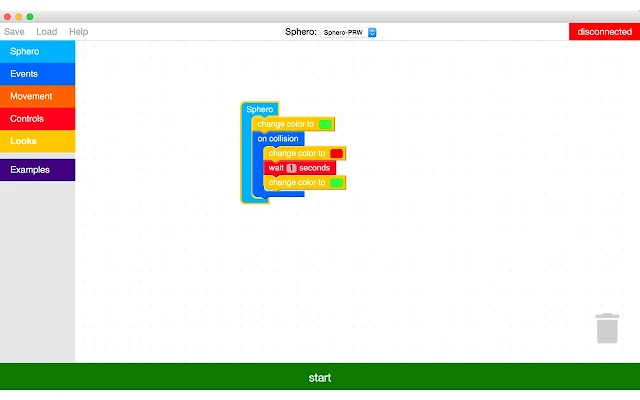
Official Blockly for sphero on the Mac / PC

I've been looking for a good way to program Sphero from a Block based coding app like Blockly or Scratch.  There have been some cool hacks, but they have been to hard to use to dare suggest anyone else try.

There is Tickle app on the iPad, and tynker is supporting in on android I hear (not tested yet)
so those of you with tables could get started, but I wanted to hook this up in a classroom with a bunch of laptops, or iMacs.

Then recently I found Spherly and it was easy an worked.  I even used it in a class with kids with no problems!

Then today I just found the official (betaSphero - Blockly so cool.  Now if I could find 12-24 Spheros maybe I can get this happening at my local school!


Small update here, while this official sphero app is way easier to set up, and what I am looking for when recommending tools, it's still to beta to recommend as easy.  Spherly which I mentioned already is still the better option on a PC/Mac.   And only Tickle app on the iPad has the true ease of use I'm looking for.  For both parents and Kids.

Monday, July 6, 2015

Parrot MiniDrone Rolling Spider


Like Sphero this is a Bluetooth remote controlled toy that uses your Android or iOS device as the controller.  And they have opened up the control API for their drones.   Some interesting block based visual coding tools have added support for the Parrot MiniDrone, as well as Sphero and some other devices.

If you need a little more excitement in your coding, and a cool toy it's worth checking out.


Tickle

This iOS app is adding support for more IoT (internet of things) devices every week. and Currently supports quite a few of the devices we've already mentioned.
  • Parrot Minidrone
  • Sphero
  • Dash & Dot
  • Ollie
  • LightBlue Bean (Arduino)
  • Philips Hue


Tynker

Tynker really got my attention when I found out they now support programming devices.  Currenlty they support just a couple, but with promise of adding more.  Tynker is actually a commercial venture offering both a free tool and minimal free tutorials, as well as some premium course content.  It's defiantly got higher production values than many of the other tools which can certainly help keep kids attention.   Another benefit is that it's HTML5 based and runs on just about any system desktop or mobile, and has tablet optimized apps for Android and iOS.
  • Parrot Minidrone
  • Sphero

Monday, June 1, 2015

Scratch Jr

Scratch Jr is a tablet version of scratch.
It's not as full featured as scratch but it runs nicely on iOS and now Android tablets.
And it's fully language agnostic.  All icon driven and the instructions is in the form of an example video.   That means it's also great for pre-readers.

Your not going to create a custom game with it, but it's great at creating animated stories and interactive stories that you can share with your friends.   So it is empowering in teaching kids to create their own content rather than just consuming and playing games.  That's a welcome option for tablets which are so geared to consuming.

Also parents note it's easy enough to just install and let them go at it on their own without guidance, so go for it install it on your tablet and just leave it there and see what happen.

Monday, May 4, 2015

May the 4th be with you.

may the 4th be with you.

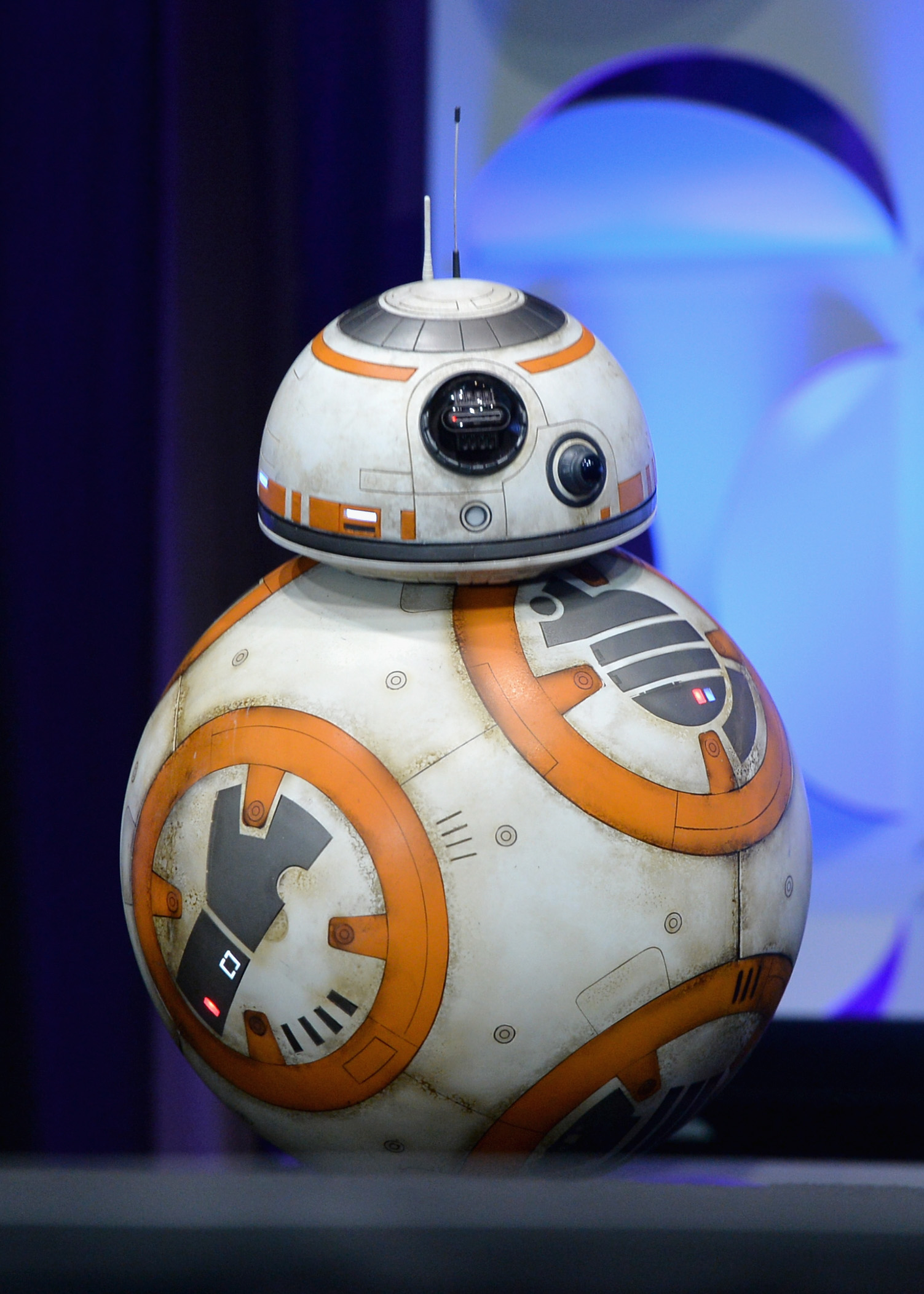
There are hints of a Sphero version of the Sphere droid.  Which is awesome.  Playing with Sphero 2.0 I wondered if it might be viable to add magnetically attached accessories like a hat.  I'm sure it's a challenge but let's hope they solved it.  

When I saw Sphero on Think Geek I though Meh a remote controlled ball, but when I got to play with one, I realized how cool it was.  Maybe less open play than a "ball" but WAY! more open play than a remote controlled ball.   It's a programmable, waterproof, robotic ball, which while just being a ball is so much more than those human shaped robots.

Which is to say COOL.


Compatible with iOS and Android.
Macrolab is a Block sequencing based scripting tool that uses the same concepts we covered in KidCode.   And a way to get our kids attention off the screen at the same time they are on it ;)

Friday, December 12, 2014

The Gift of Coding

Kids like coding, but need more immediate gratification?
Kids got board with maze puzzles?
Kids like playing with real toys rather than video games?  (OK unlikely but maybe parents are tired of the video games.)

check out this great review Robot toys that are kid tested and ready to work. Work to teach our kids both mechanical engineering and computer programming.

I tested many of these myself, and loved them.
I have to admit most of my favorites are LEGO compatible, but also key is being able to program them, and in particular program them with the same tools we learned in KidcodeQ, and Hour of Code.   Those being Blockly and MIT Scratch


I didn't get to play with these long, but  I loved Dot and Dash 
They are ready and easy to play with right out of the box.
You can program them with blockly
And you can attach your LEGOs!


Sphero, it seems so unassuming being "Just a ball" but that simplicity plus the fact that it just works right out of the box means it's super "open" and ready for programming.
There are a lot of app for it, that include programming options, but there are also hacks to control it with MIT Scratch.
With the chariot Sphero becomes LEGO compatible 

(though I used it with LEGOs even without.)


And last but not least LEGO WeDo and LEGO EV3  which are obviously a great addition to a LEGO collection.   I prefer WeDo for simpler programming introduction, and combining with standard LEGO bricks.   The programming interface is similar to Scratch, but Scratch also works with the WeDo sets out of the box no hacking needed.
EV3 has a more complex programming environment as well as parts that are of a different building style than traditional LEGO bricks so I'd consider this a Second Robot gift to give after you have already caught the Robot bug.   But it's the most powerful and the longest lasting in terms of learning most mechanical engineering and computer programming.

Wednesday, December 10, 2014

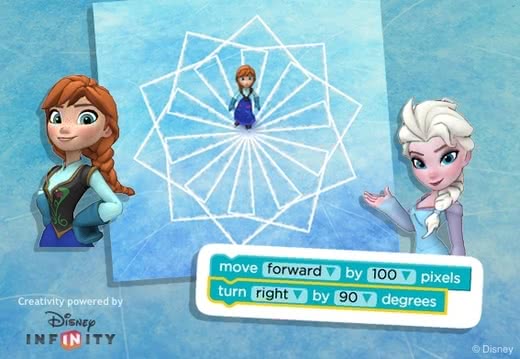
Hour of Code Frozen

This week is Computer science week and time for Hour of Code.
Join in by trying a fun tutorial GAME


http://code.org/learn

You will find old friends and new characters.

Free Hour of Code app for Tablets and Desktop the Foos

Awesome hour of code tutorial app.
 It's fun, free, language agnostic (and pre-reading)
It's also available for Android iPad and the web
http://thefoos.com/